1
Access the FLDFS Education Database
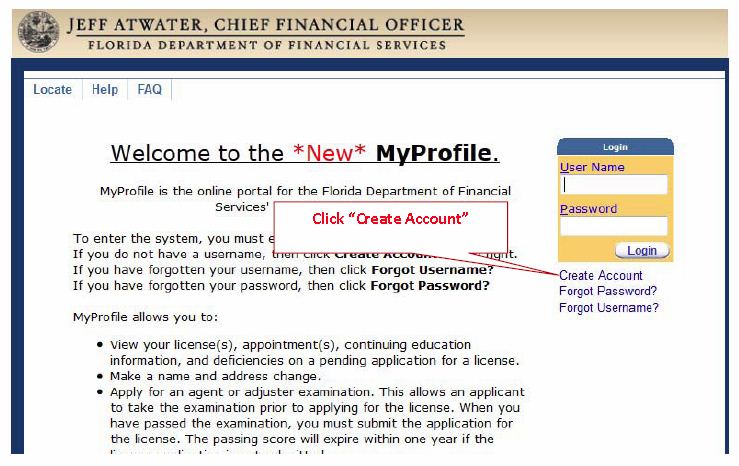
As of April 27, 2012, FLDFS requires you to create a username and password to access your Continuing Education Transcript. It also offers third-party access for providers and education coordinators to access education requirements.
To begin, click the button below to visit the FLDFS Education Database:
FLDFS Education Database for Florida Insurance Agents →Click “Create an Account” to begin.
2
Grant Third-Party Access to Wall Street Instructors
Once you have created your username and password, please follow these steps to grant us permission to access your transcript evaluation:
-
1Log in to the FLDFS Education Database and select “Third Party Privileges”.
-
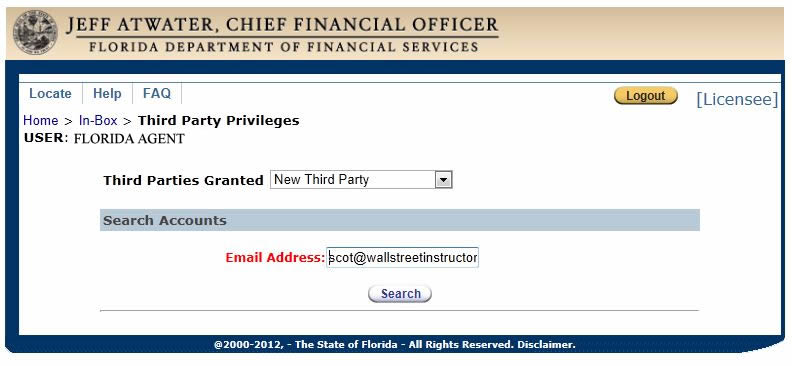
2Select “New Third Party” and enter the following email address, then click Search:
scot@wallstreetinstructors.com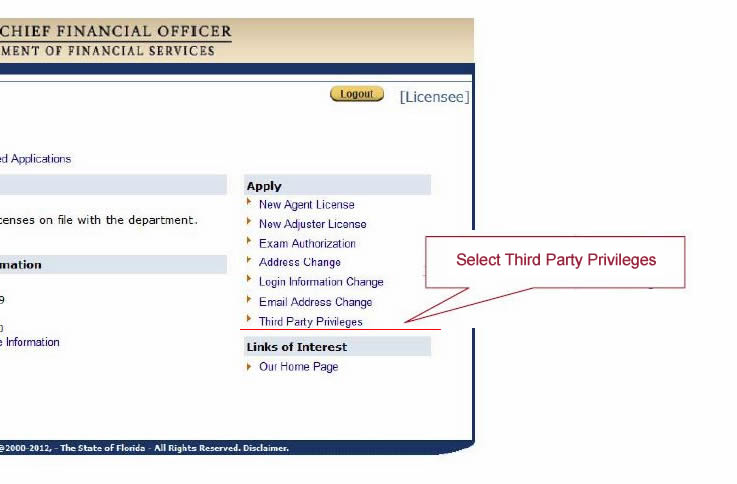
-
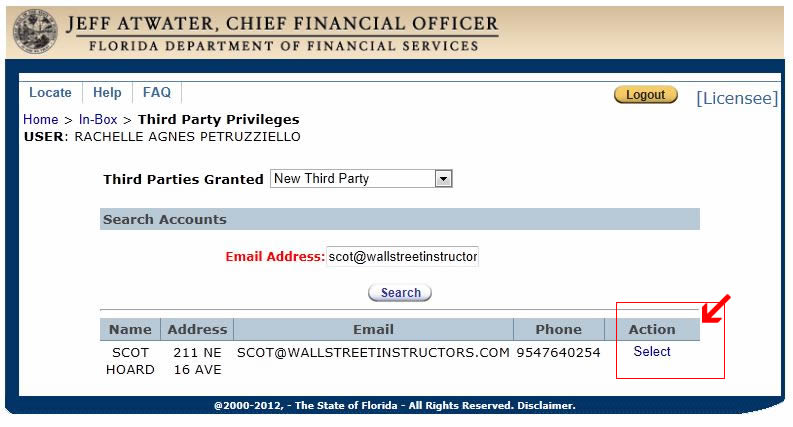
3Click “Select” next to the search result.
-
4Select “Letter of Certification” and click “Save”.
-
5Select your location.
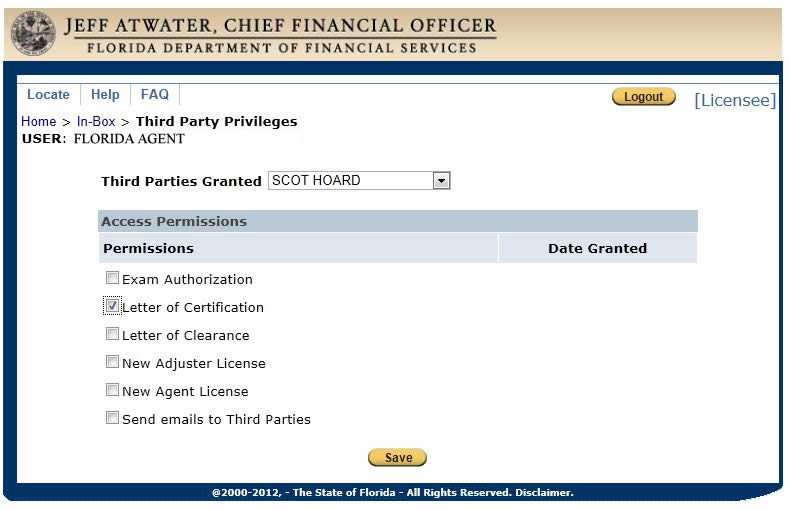
-
6You have successfully granted us third-party access to your continuing education requirements.
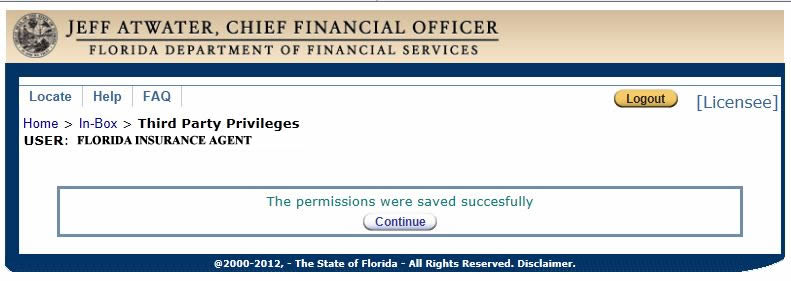
✓ You must grant third-party access to us before submitting the form below.
3
Sign Up for Our Free Transcript Evaluation
Wall Street Instructors is pleased to offer a personalized FREE Transcript Evaluation Service for agents who would like assistance. We will contact the Department of Insurance to obtain your current transcript, then contact you to let you know if you are currently in compliance. If you are not in compliance, we will let you know how many credits you still need to take. We also add you to our free Compliance Reminder System.
Please provide the following information to sign up for this free service: